Enterprise Content Management (ECM) Services for Document Storage, Search, and Compliance
Your business documents live in six different places. Contracts in a SharePoint folder somebody set up in 2019. Invoices in the accounting system and also in a shared drive. HR records in the HRIS and also in a filing cabinet. Customer documents in the CRM and also in email attachments. Compliance documents in a OneDrive somebody owned before they left. When the auditor asks for something, the answer is usually “it’s somewhere, give me an hour to find it.”
Kelley Create’s Enterprise Content Management services replace document chaos with a single repository where every business document lives, is properly tagged with metadata, is searchable across full text and metadata, has appropriate access controls, follows defined retention policies, and produces audit trails as a side effect of being used. One partner. One document repository. One end to forty-five-minute searches.

we "checked" it for you


what worked then may not work now
When Documents Live in Eleven Places, None of Them Is the Right One.
Documents live in too many places to count. SharePoint. OneDrive. The network share. Email archives. The AP folder. The legal folder. The file cabinet in the back. Finding the latest version is detective work. The auditor is coming and the evidence is scattered. Retention policies exist on paper but nothing enforces them.
The right partner doesn’t add another shared drive. We build the content management foundation where documents have a single home, a known version, an audit trail, and an enforced retention policy. That’s us.
What Is Enterprise Content Management?
Enterprise Content Management (ECM) is the work of organizing, storing, and managing the business documents that drive your operations. Contracts, invoices, HR records, customer documents, compliance evidence, engineering drawings, policies, procedures, training records. ECM provides one repository, metadata that makes documents findable, full-text search across the actual document contents, access controls, retention policies, and audit trails.
ECM is fundamentally different from generic file storage (SharePoint, OneDrive, shared drives). Those tools store files in folders. ECM stores documents with structured metadata, applies access and retention policies systematically, indexes content for search, and produces audit trails as a side effect. ECM is one of five services under our Automation Solutions, alongside BPA, IDP, AP Automation, and Digital Forms.

























Find Out How Long It Actually Takes Your Team to Find a Document. Free Assessment With Current-State Measurements.

talk to our creators
How Kelley Create Delivers Enterprise Content Management
Four phases. Information architecture design, migration, deployment, then ongoing governance.
Document inventory. Metadata schema design. Access control model. Retention policies. Integration points with business systems. The work that makes the difference between an organized system and a different kind of mess.
Document migration from existing repositories: SharePoint, OneDrive, shared drives, legacy ECM systems, paper archives. Metadata enrichment during migration. Quality validation at scale.
Platform configuration, user training, integration with business systems (ERP, CRM, HRIS), workflow integration. Phased rollout to manage change.
Ongoing governance: information architecture maintenance, access reviews, retention enforcement, audit support. ECM that doesn’t get governed becomes the next thing to clean up.
What’s Included in Enterprise Content Management
Every ECM engagement scopes to your document landscape. The components below are standard.
One partner. One document repository. One end to forty-five-minute searches.

these components are standard
-
Single repository for every business document type. Centralized storage, distributed access, consistent governance.
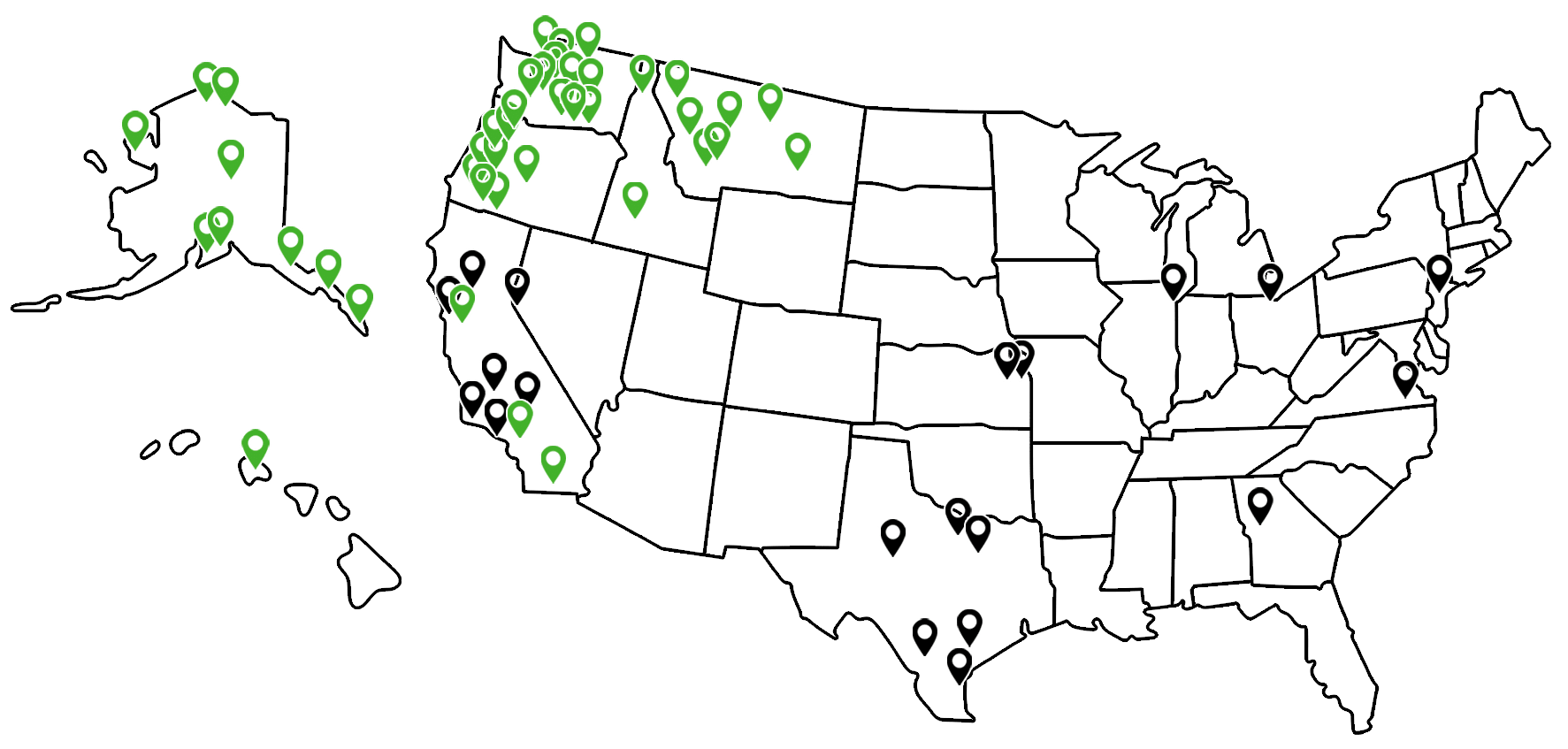
Local Expertise, National Reach
ECM implementation requires hands-on information architecture and change management. The work happens locally.
Local. Regional ECM specialists for on-site discovery, design, migration support, and user training.
National. Multi-location operations get coordinated ECM across every site. Same metadata schema, same access controls, same retention policies.
Why Partners Choose Kelley Create for Enterprise Content Management
ECM specialists with deep DocuWare platform experience.
Decades of combined DocuWare implementation experience across our team. The information architect designing your metadata schema has done it for dozens of organizations and knows what holds up at audit. Information architecture before software, every time.
Information architecture first.
Metadata schema, access control model, retention policies designed before migration. Wrong information architecture is the root cause of most ECM failures.
Migration expertise from real systems.
SharePoint, OneDrive, shared drives, legacy ECM, paper. We’ve migrated from all of them and know what goes wrong at scale.
Compliance experience by industry.
HIPAA for healthcare. SOC 2 and PCI for financial services. Regulatory frameworks for government. Compliance built into the architecture, not bolted on after.
Integration with the rest of the stack.
ECM pairs naturally with BPA, IDP, AP automation, and digital forms. We design the broader strategy, not just one piece.
Governance as a deliverable.
ECM that doesn’t get governed becomes the next mess. Governance design and ongoing support are part of the engagement.
Who Enterprise Content Management Is For
Organizations with documents scattered across systems where finding anything depends on knowing who saved it where.
Compliance-driven businesses with audit requirements, regulatory filings, or retention obligations that current document storage can’t defensibly support.
Companies recovering from employee departures where critical documents are stuck in former employees’ personal storage.
Multi-location operations needing consistent document management across many sites with centralized governance.
Growing businesses where document volume is outpacing the ability to manage it through folder-and-file conventions.
Internal IT and information governance teams needing a partner with deep platform expertise to design and deploy ECM without rebuilding the function in-house.
Case Studies: AI & Intelligent Solutions
Real businesses. Real Outcomes. Click to view all Case Studies.









See How Much Time, Money, and Productivity Your Business Could Gain With Better Document Management. Free Consultation, No Obligation.
click here to get started
Ready to Stop Hunting for Documents That Should Be Findable?
The records lead hunting for the I-9 isn’t a the records lead problem. It’s an information architecture problem. Documents scattered across SharePoint, OneDrive, shared drives, and email archives can’t be reliably found, properly governed, or defensibly retained. The fix isn’t another folder. It’s ECM with metadata, search, access controls, retention, and audit trails built in.
Free ECM assessment, no obligation. We inventory your document landscape, identify the biggest pain points, and produce a specific roadmap with realistic timelines and right-sized scope.

Frequently Asked Questions
-
How is ECM different from SharePoint?
SharePoint stores files in folders. ECM stores documents with structured metadata, applies access and retention policies systematically, indexes content for search, and produces audit trails. SharePoint can be used as ECM with significant work, but most SharePoint deployments don’t have the metadata schema, retention enforcement, or governance that real ECM requires. Many partners use both: SharePoint for collaboration on documents in progress, ECM for the document of record.
-
How do we migrate from our current setup?
-
What about retention policies?
-
How does search work?
-
What about HIPAA, SOC 2, and other compliance frameworks?
-
Can we control who sees what?
-
How does ECM integrate with our ERP, CRM, or HRIS?
-
What about email archiving?
-
How long does ECM implementation take?
-
What's the ongoing cost?
-
Can we start with one document type and expand?
-